

Features
- Database Monitoring: Track CPU, memory, transaction throughput, and storage size over time. Learn more.
- Database Backups and Restoration: Configure scheduled backups, view backup history, and restore data when needed. Learn more.
- Trusted Sources: Control database access with IP-based restrictions. Learn more.
- Database Parameters: Customize PostgreSQL and PgBouncer parameters to optimize your database for your specific workload. Learn more.
- Supabase Addon: Add Supabase functionality for auto-generated APIs and database management tools. Learn more.
Creating a database
1
Access database creation
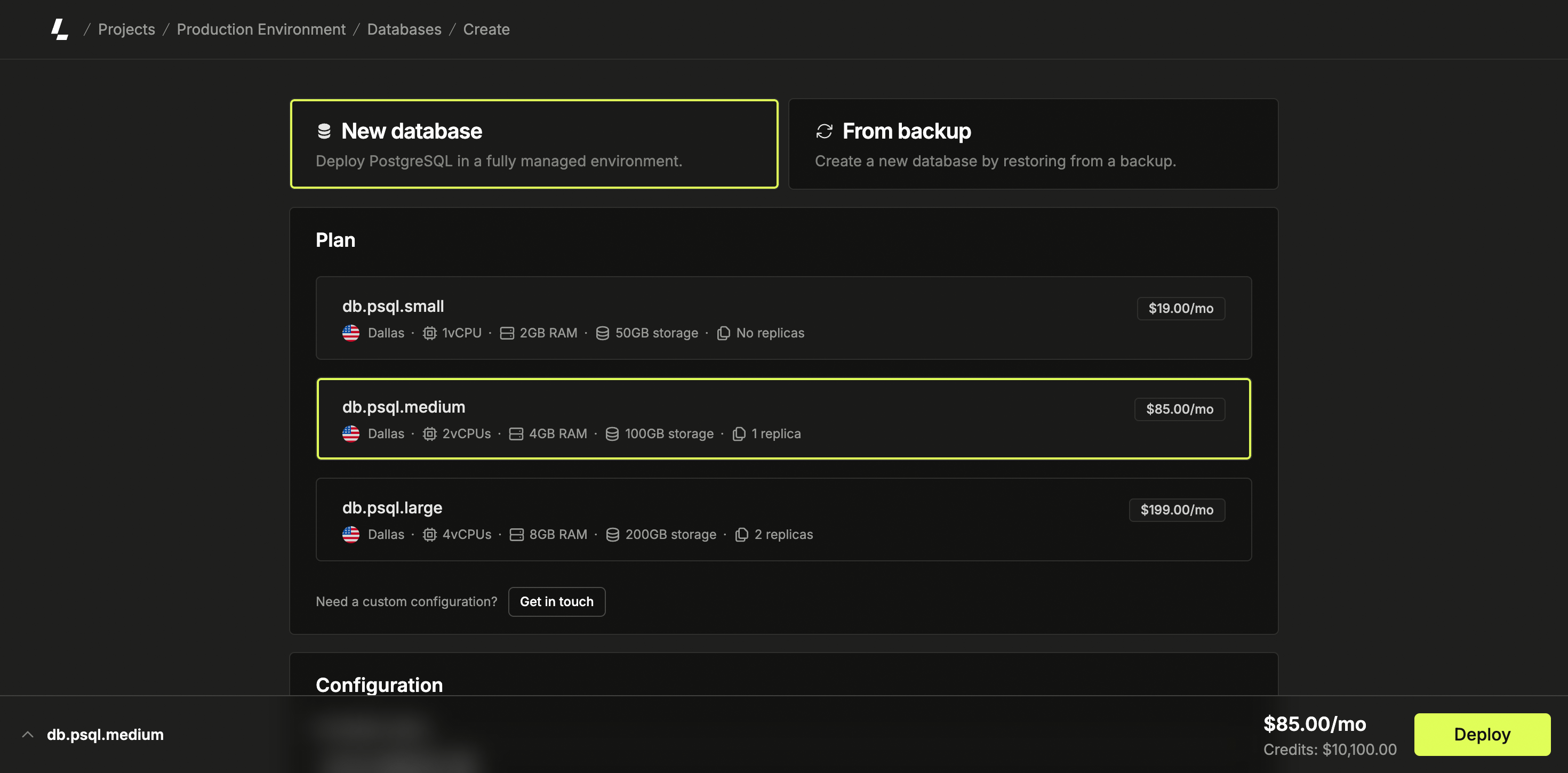
Log in to the dashboard, select a project, navigate to Databases in the sidebar menu, and click Create Database. Select “New Database” on the database deployment page.
2
Configure database specifications
Choose a location and plan based on your requirements. Optionally,
configure scheduled backups according to your backup requirements. Provide a
name for your database.
3
Deploy the database
Click Deploy to create your database.
Additional documentation
- Database Monitoring - Monitor the performance and usage of your databases.
- Database Backups and Restoration - Configure and manage automated scheduled backups.
- Trusted Sources - Control database access with IP-based restrictions.
- Database Parameters - Customize PostgreSQL and PgBouncer parameters for your workload.
- Supabase Addon - Optional Supabase functionality for enhanced developer experience.