Latitude.sh supports Multi-factor Authentication (MFA) for authenticating using Time-based One-Time Passwords (TOTP). After setting up MFA for your account, a code will be required every time you want to access the dashboard. MFA works when authenticating with email, Google, or Microsoft. When using passkeys or SAML Single Sign-On (SSO), MFA is skipped—even if it’s turned on and enforced.Documentation Index
Fetch the complete documentation index at: https://www.latitude.sh/docs/llms.txt
Use this file to discover all available pages before exploring further.
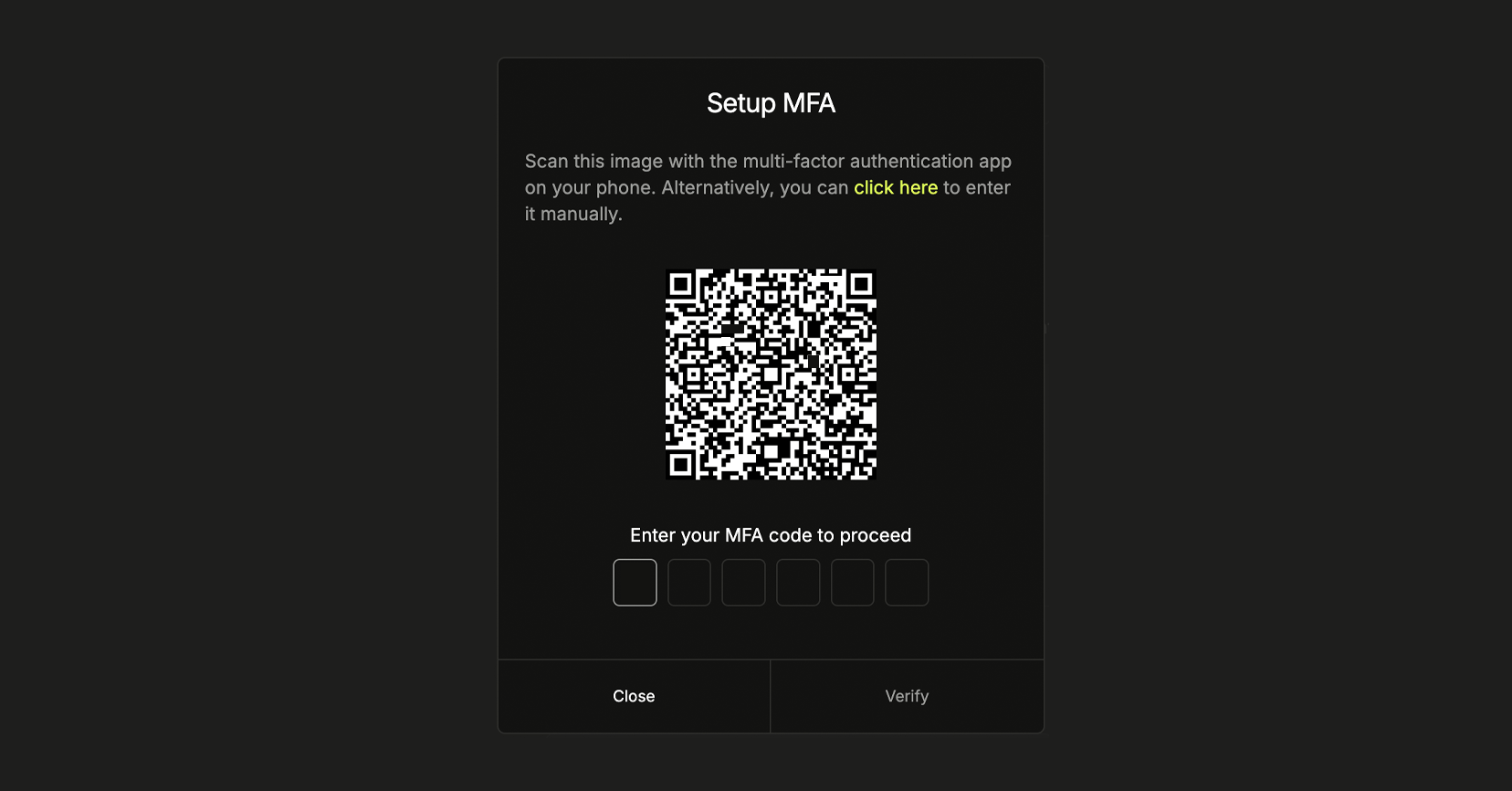
Setting up MFA

- On the Latitude.sh dashboard, go to your profile page and click the Enroll button in the Multi-factor auth section.
- Scan the QR code with an authentication app such as Google Authenticator or 1Password.
- Enter the code shown in the authentication app and click Verify.
MFA enforcement
Account owners can enforce Multi-Factor Authentication (MFA) for all members. Here’s how to do it:- Navigate to Settings → Members & access → Multi-Factor Auth (MFA) tab.
- Enable the Enforce Multi-Factor Authentication (MFA) toggle.