

Benefits
- Private network connections: Direct, secure connections between datacenters
- No additional costs: No additional costs for data transfer between locations
- Low latency routing: Optimized paths for faster data transfer
- Enterprise reliability: Built on redundant, carrier-grade infrastructure
How it works
Global Gateway routes traffic between your servers’ Latitude.sh-assigned public IPs through our private backbone instead of the public internet. This is enabled by default for all customers, so servers in different regions can communicate securely over this backbone without any additional setup.The default Global Gateway applies to traffic between Latitude.sh-assigned public IPs only. It does not extend private networks (VLANs) across regions. Private networks operate within a single location. If you need private network (VLAN) connectivity across multiple locations, you can request a dedicated Global Gateway connection.
Default vs. dedicated connections
Active connections
View active Global Gateway connections in the Global Gateway dashboard. The dashboard shows bandwidth, latency, and network paths for all interconnections between Latitude.sh regions. Default connections are active for all customers and update automatically as new interconnections become available.Getting started
Simply deploy servers in connected regions and traffic between their Latitude.sh-assigned public IPs will automatically route through the Global Gateway backbone. No additional configuration is required. To view active interconnections and monitor performance, visit the Global Gateway dashboard.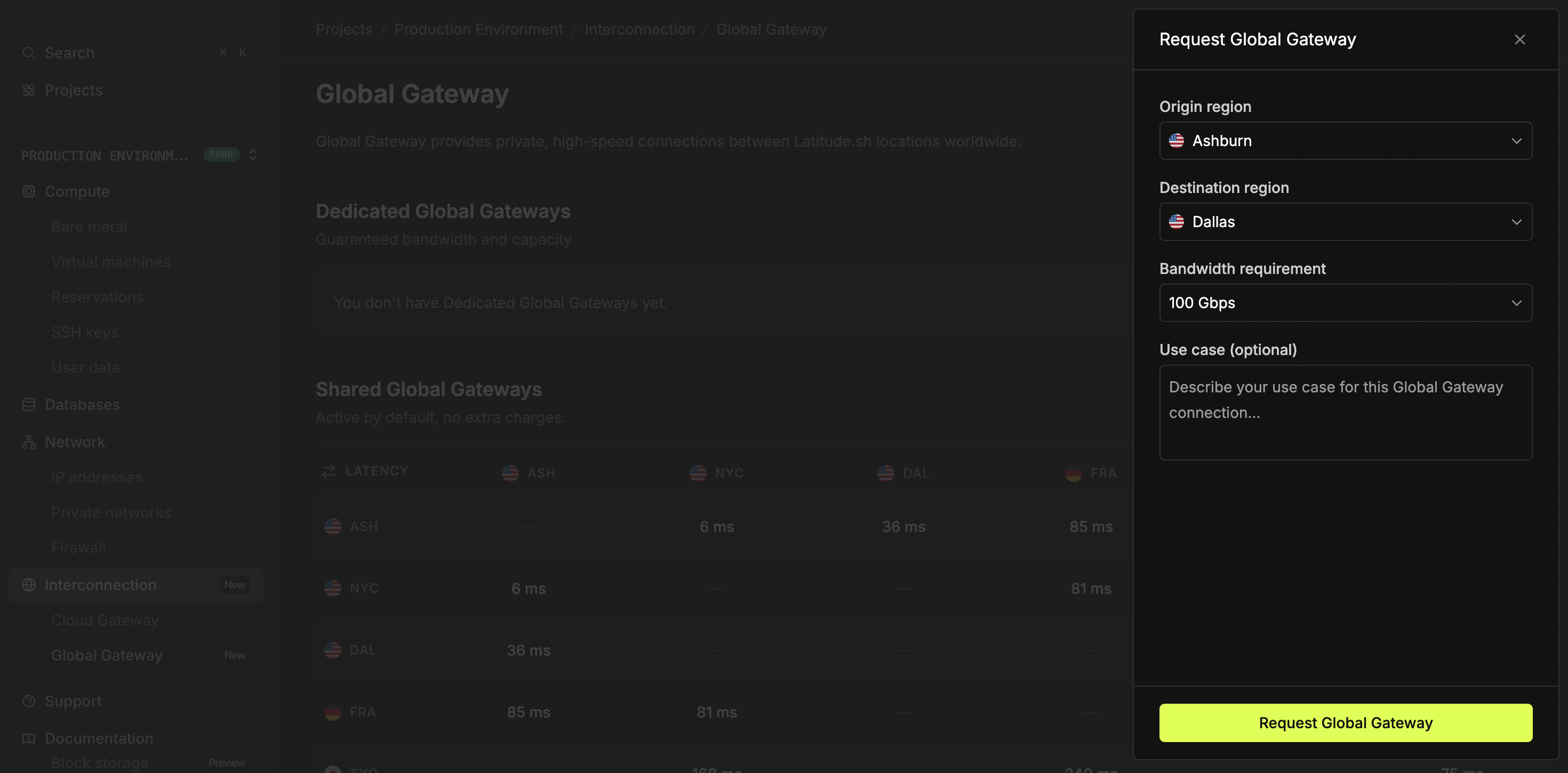
Requesting dedicated connections
For cross-region private network (VLAN) connectivity, or for higher bandwidth requirements, you can request dedicated Global Gateway connections through the dashboard:- Log in to the dashboard and select a project
- Navigate to Interconnection > Global Gateway in the sidebar
- Click Request dedicated connection
- Select your origin and destination regions
- Choose your required bandwidth (1 Gbps to 100 Gbps available)
- Describe your use case and submit the request
Use cases
- Multi-region applications: Deploy distributed applications across regions without egress costs
- Data replication: Sync databases and storage between locations
- Disaster recovery: Maintain backup systems in different regions
- Load balancing: Distribute traffic across multiple datacenters
- Hybrid cloud: Connect cloud resources to bare metal infrastructure
- Cross-region private networks: Connect private VLANs across locations using a dedicated connection